
Pest control operations software
Pest Control Software Built for Growing Operators
One system for scheduling, routing, pesticide records, billing, and renewals — so office staff, technicians, and sales reps are working from the same customer record instead of three.
■ Residential and commercial programs
■ Termite and WDO inspections ■ Recurring service plans
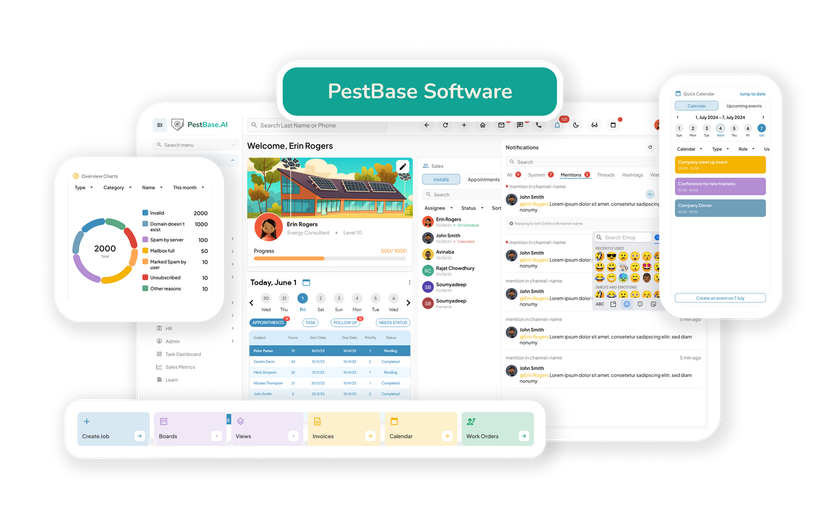
Built around the records you're accountable for
Every service visit produces documentation. PestBase captures it as the job happens, not afterwards.
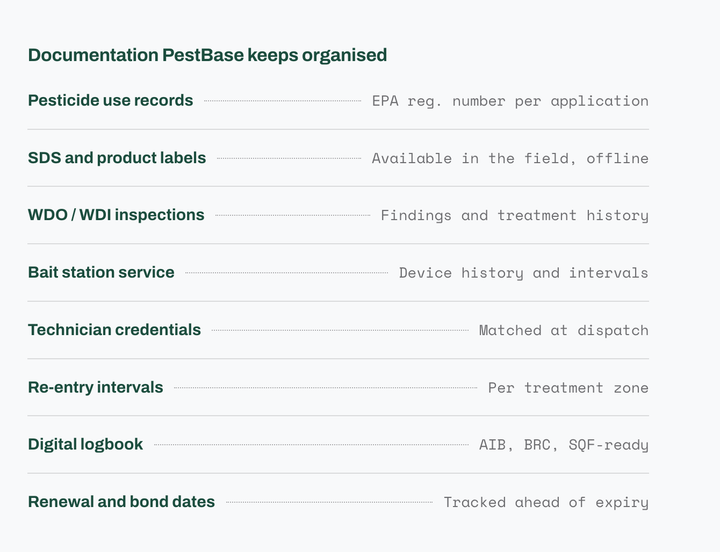
Pesticide use records
Product, EPA registration number, target pest, and application details captured in the field.
SDS and labels on site
Technicians open Safety Data Sheets and product labels at the job, including offline.
Audit-ready logbook
Service and application history organized for AIB, BRC, and SQF audit preparation.
WDO and WDI inspections
Inspection findings, treatment history, and property records kept in one place.
How a service visit works
The compliance record is built as you go, not at the end
Most software treats documentation as paperwork that happens after the job. In pest control, the record is the job. Here is what PestBase captures at each stage.
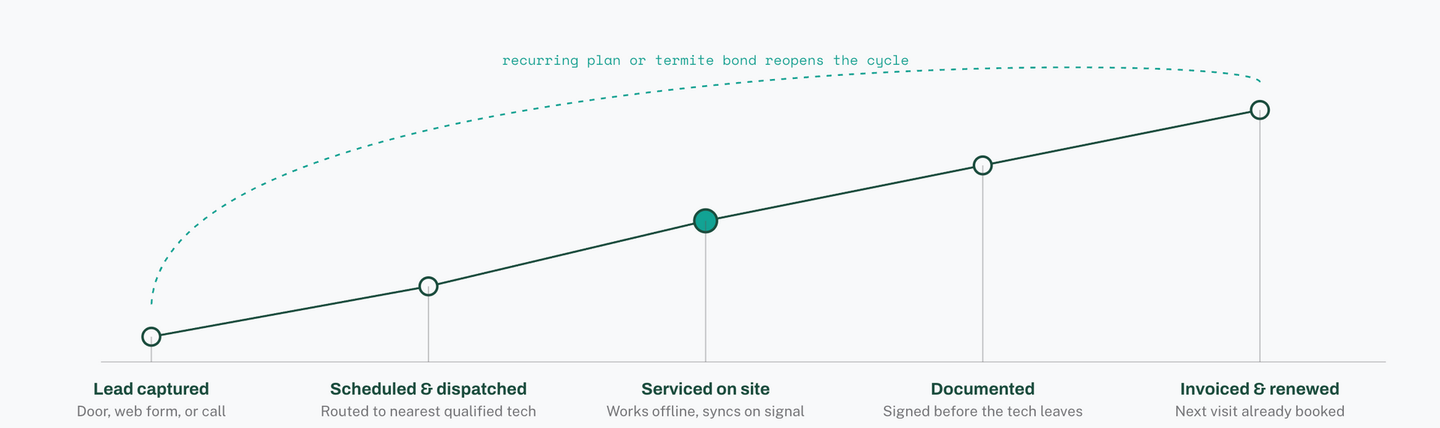
| Stage 1 | Property details, pest concern, service history |
|---|---|
| Stage 2 | Technician licence and certification match |
| Stage 3 | Product, EPA reg. number, target pest, re-entry interval |
| Stage 4 | SDS reference, photos, customer signature |
| Stage 5 | Invoice, payment, renewal or bond expiry date |
The return path is where recurring revenue is won or lost. Roughly 85% of residential pest revenue comes from recurring contracts, so a renewal that falls through the cracks costs far more than a single missed visit.
Connect
Connect your office and field teams
Dispatchers and technicians work from the same live schedule, so nobody is calling the office to find out what changed.
■
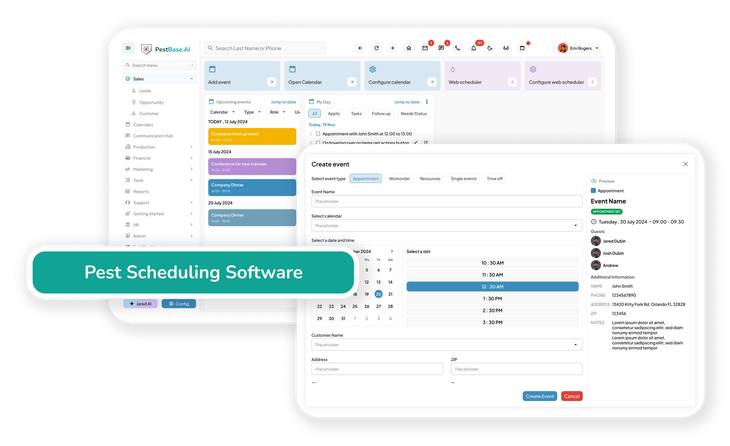
Drag-and-drop dispatch board: Adjust schedules in real time to reduce drive time, fit more service calls into each day, and absorb emergency jobs without rebuilding the whole route.
■
Automated customer updates: Send renewal reminders and live technician ETAs, which cuts down on "where is my tech" calls and creates natural moments to ask for a review.
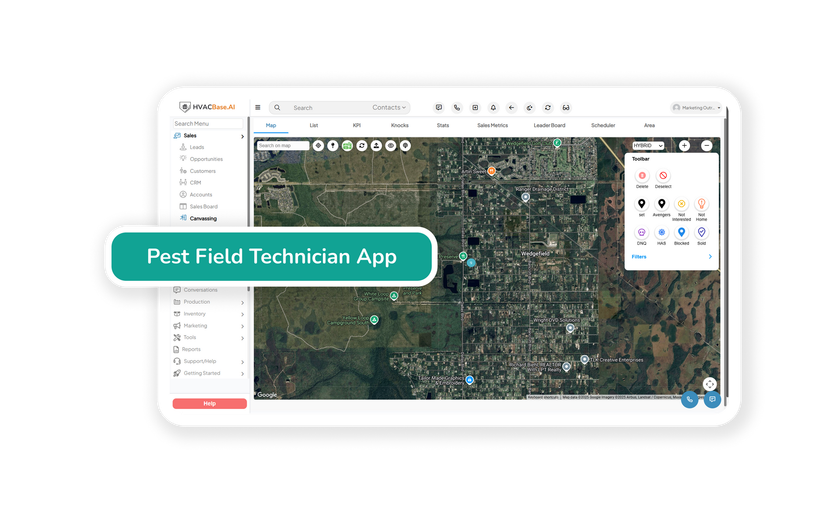
■ Technician mobile app: Job details, pesticide records, digital proposals, and signatures stay available offline — so a basement or a rural stop doesn't cost you the record.
Explore the field technician app
Control
Connect your office and field teams
Smarter routing and job matching keep technicians productive without stretching the day.
■ More production per technician: Cluster nearby stops and assign the closest available technician to improve route density and reduce windshield time.
■
Intelligent job matching: Assign work based on availability, certifications, and pest-service expertise, which improves first-time completion and reduces repeat visits.
■ Protect service quality and revenue: Use service history to spot callback trends, rebalance technician workloads, and adjust ahead of seasonal spikes before they turn into service gaps.
Compliance
Regulatory and product records, handled as you work
Keep SDS, pesticide use records, and reporting data organized to support applicable regulatory requirements, with less manual re-entry.
■ Pesticide use records: Maintain a complete history of every application — product, EPA registration number, target pest, and location — so gaps don't appear months later when someone asks.
■
Safety records at the job site:
Technicians pull up Safety Data Sheets and product labels on the spot, which supports correct application and keeps documentation consistent.
■ State pesticide use reporting: Application data is captured in a consistent structure, which simplifies the submissions required by state pesticide regulatory agencies.
Programs
Connect your office and field teams
Manage the inspections, service records, and documentation each program depends on.
Audit-ready digital logbook
Commercial accounts don't buy treatment — they buy documentation they can hand to an auditor.
- Service and application records in one digital logbook
- Organized to simplify AIB, BRC, and SQF audit preparation
- Device and bait station service history kept per site
Multi-zone application protocols
Larger sites rarely get one treatment. They get several, each with its own constraints.
- Record treatment locations and application details by zone
- Capture re-entry intervals alongside each application
- Keep documentation accurate across multiple service areas
Capitalize
Protect recurring revenue and business performance
The money in pest control is in the second year, not the first sale. These workflows are built around keeping it.
■ WDO and WDI inspection management: Keep inspection and treatment records organized, maintain accurate property records, and produce documentation when a transaction or a customer requires it.
■
Automated service renewals:
Stay ahead of annual renewals, termite bond expiries, and recurring service follow-ups instead of finding out after they lapse.
■
Billing and business performance:
Create invoices, track payments, and monitor the metrics that tell you whether route economics are actually working.
Also included
Generate business, not just manage it
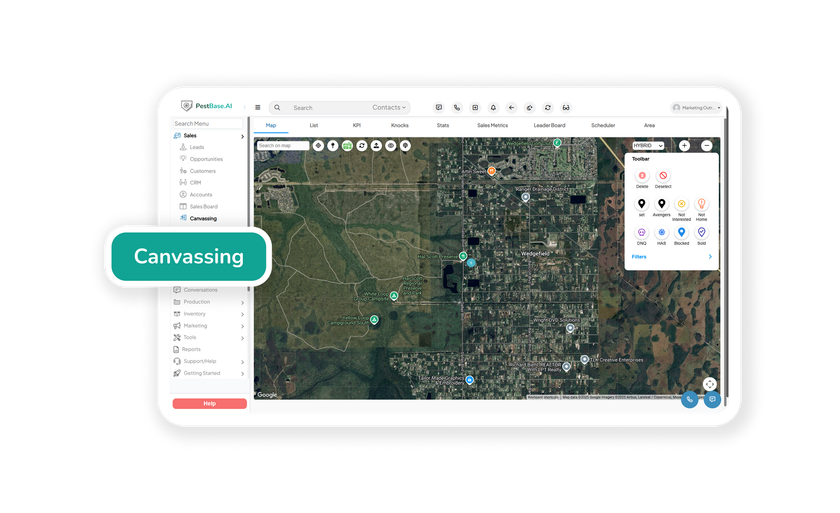
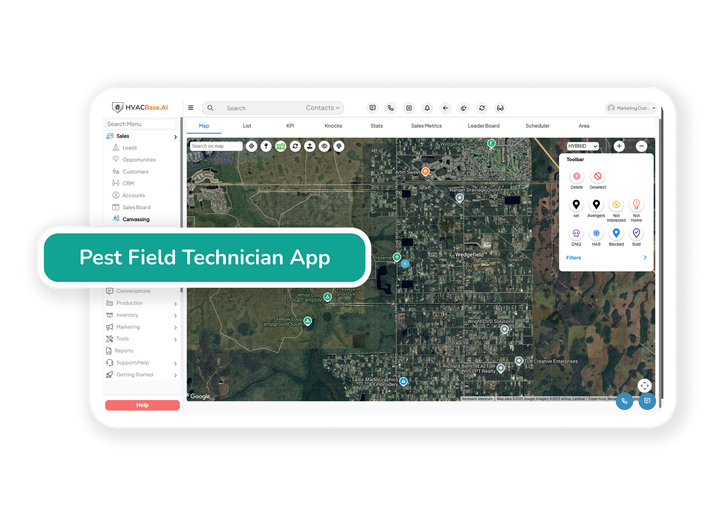
Door-to-door canvassing runs inside the same system as your routes and your billing. A lead captured at the door is already a customer record by the time a technician is assigned — no export, no re-entry, no second tool to pay for.
Territory management
Assign neighborhood zones to reps, see coverage in real time, and stop two reps from knocking on the same street.
Book at the door
Schedule the inspection or initial service on the doorstep, with confirmation sent before the rep walks away.
Why pest teams choose PestBase
Purpose-built, not adapted from generic field service software
Generic field service tools handle a job and an invoice. They don't handle a bait station on a monitoring interval, a bond that renews in fourteen months, or an inspector asking what was applied at a property in March.
Who it's for
Fits how pest control businesses actually operate
01
Residential service
One-time treatments and recurring monthly, bi-monthly, or quarterly plans, with follow-ups scheduled automatically rather than rebooked by hand.
02
Commercial contracts
Multi-site agreements, scheduled inspections, device maps, and the service documentation commercial accounts are audited against.
03
Termite and mosquito programs
WDO inspections, bond tracking, bait station monitoring intervals, and seasonal mosquito programs kept on schedule.
04
Multi-location operations
Technicians, scheduling, credentials, and performance reporting across branches from one view.
FAQs Frequently asked questions
1. What is Pest Control Software?
Pest Control Software is a specialized business management platform built for pest control companies to manage their day-to-day operations in one centralized system. It helps pest control businesses schedule and route technicians, manage customer records, track pest control jobs and pesticide usage, maintain compliance documentation, create invoices, process payments, and communicate with customers.
Unlike using separate tools for scheduling, CRM, invoicing, routing, and compliance, this pest control software brings these workflows together in one platform, including a customer portal where customers can request or book services, view appointments, and track technician arrival, while field technicians can access job details and update service records from the field.
2. Do I need Pest Control Software, or is Generic Field Service Software Enough?
Generic field service software can handle basic scheduling, technician communication, invoicing, customer records, and route optimization, but it often lacks the specialized workflows required by pest control businesses.
Pest control software is built around industry-specific needs such as recurring service scheduling, pest-specific compliance tracking, technician certification and license validity, pesticide usage records, bait station monitoring, termite inspection and treatment workflows, and termite bond renewal management. The Purpose-built platforms like PestBase are designed specifically for pest control companies, helping them manage pest-specific workflows from a single system.
3. Does PestBase work for both residential and commercial pest control?
Yes. PestBase supports both residential and commercial pest control businesses, including companies managing multiple locations, branches, technicians, and large service teams. It helps businesses manage scheduling, routing, customer records, recurring pest control services, technician assignments, pesticide usage records, and location-specific compliance workflows from one centralized platform efficiently.
4. How does PestBase handle pest control scheduling and route optimization?
PestBase clusters service appointments by geographic location and helps assign jobs to the closest available technician with the required pest control license and valid certification. This helps reduce windshield time, improve route density, increase stops per day, and maximize technician utilization.
The pest control scheduling software includes a drag-and-drop scheduler with real-time technician notifications. When a new job, rescheduled service, or emergency pest control appointment comes in, dispatchers can quickly reassign or adjust the schedule without rebuilding the technician’s entire route. This helps pest control companies respond to urgent service requests while keeping daily routes efficient.
5. Does the PestBase technician app work without an internet connection?
Yes. The PestBase technician app supports offline work, allowing technicians to access job details, update service records, document pesticide applications, and record chemical usage even in areas with weak or no internet connectivity.
Once connectivity is restored, the app automatically syncs the updated information with the central system. This helps prevent lost service data and ensures that pest control technicians can complete and document jobs accurately, even in remote locations or network dead zones.
6. How does PestBase handle pesticide use records and state reporting?
PestBase helps pest control companies maintain detailed pesticide use records directly from the technician’s workflow. Technicians can record the pesticide product used, EPA registration number, application details, treatment location, application date, and other required service information.
These records can be captured using structured digital forms designed to support state-specific pesticide recordkeeping and reporting requirements. By keeping pesticide application records organized in one centralized system, pest control businesses can simplify compliance management, maintain audit-ready documentation, and reduce the need for manual paperwork.
7. Does PestBase manage termite and WDO inspection records and termite bond renewals?
Yes. PestBase helps pest control companies manage termite and Wood-Destroying Organism (WDO) inspection records, treatment and inspection history, property records, and termite bond service agreements in one centralized system.
The platform helps teams track termite bond renewal dates and service requirements, reducing the risk of missed renewals. It also keeps inspection reports, treatment documentation, and service records organized and readily accessible when needed for real estate transactions, property owners, or customer requests.
8. How Much Does Pest Control Software Cost?
Pest control software pricing can vary based on team size, number of technicians, locations, and workflow requirements. PestBase offers tailored pricing based on your business needs, so you can book a free demo to discuss your team size, current workflows, and requirements with a PestBase expert.
PestBase provides transparent pricing with no additional charges for setup, data migration, or onboarding support. During your consultation, the team will explain the pricing and recommend the PestBase solution that best fits your pest control business.
9. Can I switch to PestBase from GorillaDesk, PestPac, Jobber, or FieldRoutes?
Yes. Pest control companies can switch to PestBase from platforms such as GorillaDesk, PestPac, Jobber, or FieldRoutes. PestBase provides dedicated data migration and onboarding support to help you move essential business information, including customer records, service history, recurring service agreements, and other relevant data.
Our onboarding team helps configure your existing data within PestBase and set up workflows around your pest control operations. Your team also receives training and support to help technicians, office staff, and managers adopt the new system with minimal disruption.
Ready when you are
See it against your own routes
A working session, not a slideshow. Bring a real service week and we'll show you how it runs in PestBase.
Or call 1-888-678-6227