
D2D Sales & Canvassing
Pest Control Canvassing Software That Turns Knocks Into Booked Services
Get reps to the right doors with the property history already loaded, quote at the doorstep, and put the first service on a technician's route before the conversation ends.
Built for summer sales programs, year-round canvassing teams, and owner-operators knocking their own routes.
Plan Territories and Prioritize Opportunities
The truck hasn't moved yet and the map already knows more than yesterday's clipboard did - every lead, every rep, one street - so nobody spends the morning walking a block someone else worked Tuesday.
Territory management on a live map
Two reps working the same street is wasted payroll and a bad look for the brand. Territory assignment on a shared map means coverage is a fact rather than a report.
- See active leads from every source on one map to identify high-value properties before anyone leaves the truck.
- Track canvassing activity and territory coverage in real time so that managers can measure area worked rather than self-reported door counts.
- Assign and schedule jobs against technician availability without leaving the map.
- Cut duplicate visits and windshield time, keeping reps in front of doors instead of driving between them.

Equip Reps With Complete Property History
Before your hand reaches the door you already know if this house was serviced two summers ago and what for - the difference between a cold pitch and a warm one.
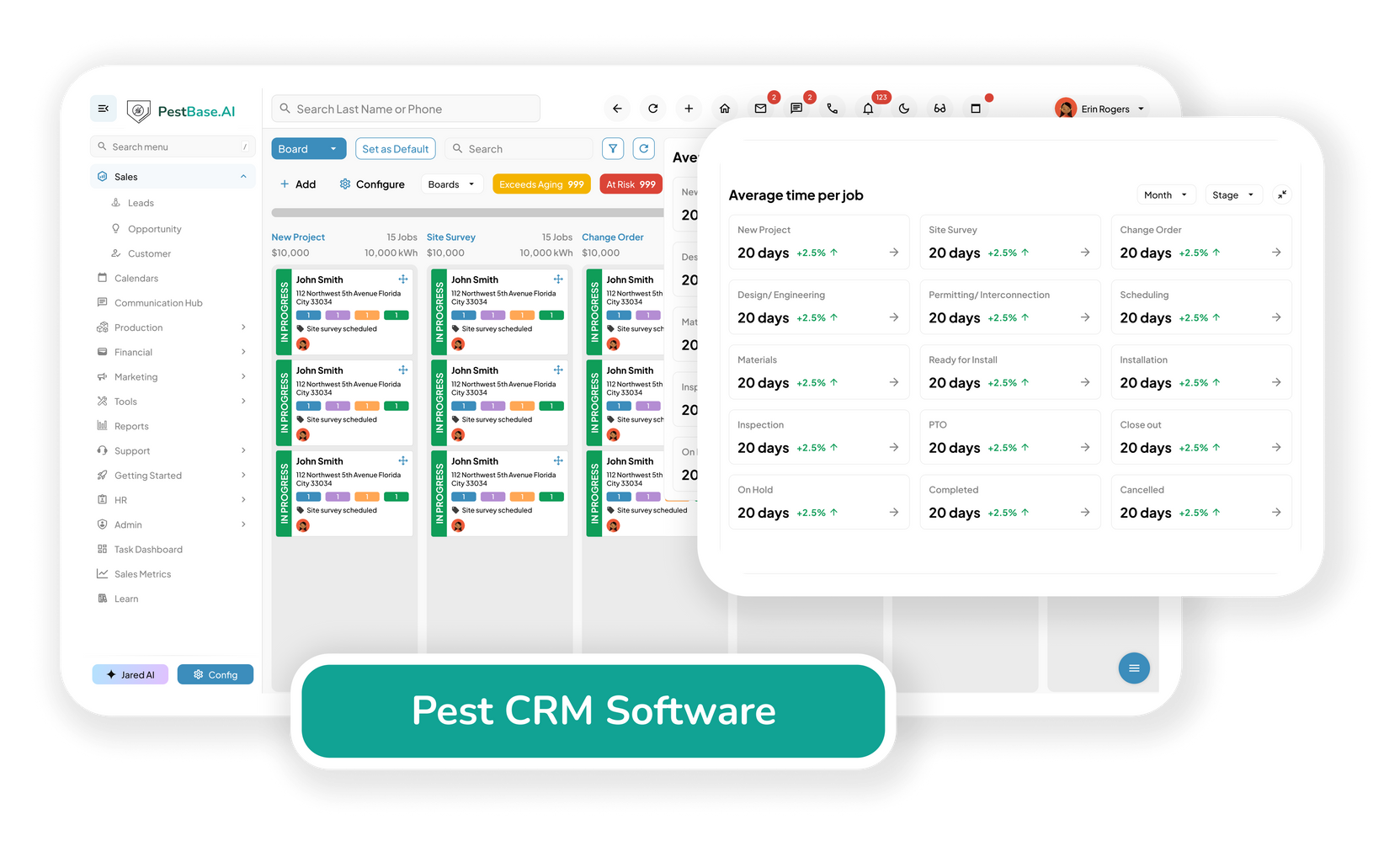
Property history before the door opens
The difference between a cold pitch and a warm one is knowing whether the house was serviced two years ago and what for.
- Pull up customer and property details before every knock, including prior service at that address.
- Review service history to identify the right recommendation — a lapsed quarterly plan is a different conversation from a first-time perimeter treatment.
- Record the homeowner's actual pest concern in the mobile app on the spot, so the technician arrives knowing what was reported rather than what was sold.
Quote and Collect in the Same Conversation
You price it right there, from the current rate card, not a memory of last quarter's numbers - and if they sign, nothing about this sale needs re-typing later.
Quote and collect in the same conversation
Every hour between the pitch and the paperwork is an hour the homeowner has to reconsider. Close it at the door.
- Build a digital estimate or service proposal at the door in minutes, priced from your current rate card rather than a rep's memory.
- Take payment or set up the recurring plan immediately after the agreement is signed.
- Give the customer a checkout experience that matches what they expect from anything else they buy at their door.
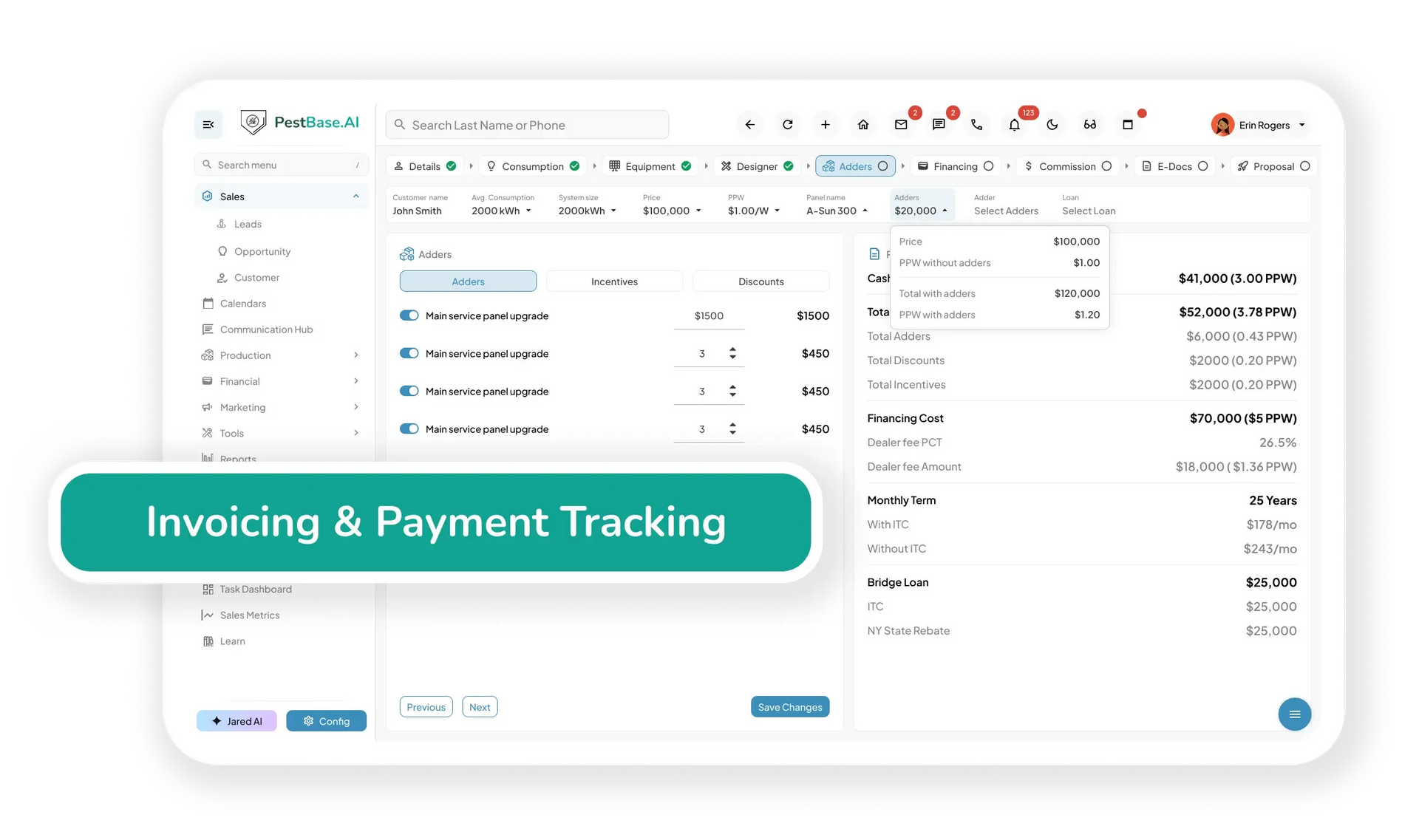
Commit to the Schedule Instantly
A sold account with no date on it is just a callback waiting to happen — so before you walk away, the first visit is already on a technician's route, not a note for someone to figure out later.

Book the first service before you walk away
A sold account without a date leaves one more thing for the office to follow up on. Reps should be able to commit to a real slot on the spot.
- See live appointment availability across the whole schedule to find open slots and assign work without creating conflicts.
- Schedule against technician availability, workload, certifications, and location, so the booking improves route density instead of breaking it.
- Reschedule from the field when weather, traffic, or an emergency call forces a change — which, on outdoor treatments, happens often enough to plan for.
Unify Field Sales and Office Operations
Nobody has to call the rep to find out what happened at that door. The office is already looking at the same record the porch conversation created.
Office and field on the same record
Most canvassing tools stop at the sale and hand a spreadsheet to the office. That handoff is where sold accounts get lost.
- Keep customer, property, service, and technician information on one record for a complete view of every account.
- Give office staff and technicians live access to the latest service information so jobs keep moving without a phone call.
- Update customer records, service details, and job status from the field, keeping everyone working from the same version.
- Remove duplicate data entry between the sales app and the operations system — because there is only one system.
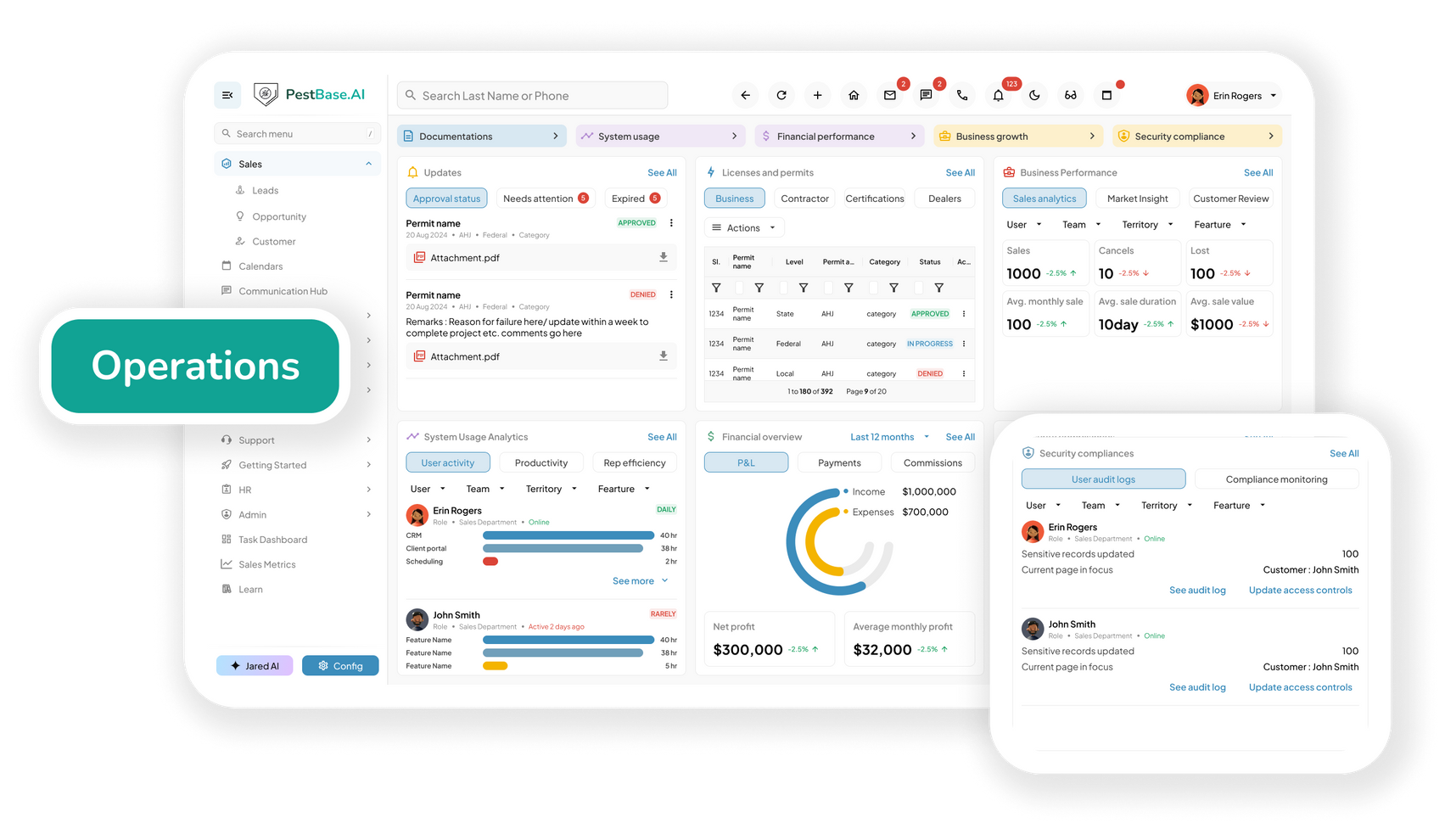
Canvassing compliance
Knocking legally is a jurisdiction-by-jurisdiction problem
Door-to-door sales is one of the most regulated ways to sell anything. Permit rules, curfews, no-knock registries, and cooling-off periods change from one municipality to the next — and a rep who gets it wrong creates a problem for the license, not just the sale.
Permits and solicitation rules
Many cities require a solicitation permit and set knocking curfews; some operate Green River ordinances restricting uninvited calls entirely. Record which territories are cleared and which permits your reps hold.
No-knock and do-not-contact lists
Flag addresses on a municipal no-knock registry or that have asked not to be contacted, so a rep sees it on the map before they walk up the drive.
Cooling-off and contract records
Federal and state rules give home-solicitation buyers a cancellation window. Keep the signed agreement, the disclosure, and the timestamp attached to the account.
PestBase helps you keep this documentation organized. It doesn't replace legal advice — solicitation rules vary widely by municipality, and confirming local requirements remains your responsibility.
Frequently asked questions
1. What is pest control canvassing software?
Pest control canvassing software is a specialized sales and field-management platform that helps pest control companies manage door-to-door prospecting, territory coverage, lead capture, quoting, and handoffs between field sales representatives and office teams.
Instead of relying on paper forms, spreadsheets, disconnected messaging apps, or manual data entry, PestBase canvassing software gives representatives a centralized mobile workflow for mapping territories, identifying prospects, capturing lead and property information, recording customer interactions, and creating estimates or proposals that can be instantly shared with prospects to help close deals at the door.
2. How does canvassing software help pest control companies close more door-to-door sales?
There are two common handoffs that can slow down door-to-door sales: the transition from a cold pitch to a personalized conversation and the delay between closing the conversation and completing the paperwork. Pest control canvassing software helps reduce both of these obstructions to closing the deal.
Before knocking on a door, sales representatives can access relevant customer and property information, helping them have a more informed and personalized conversation rather than relying entirely on a cold pitch. Once a prospect is ready to move forward, the mobile app allows representatives to create estimates and proposals instantly and share them with the customer at the door. Customers can review the proposal, provide an e-signature, and complete payment without waiting for paperwork to be prepared or manually processed by the office.
This helps shorten the time between first conversation and closed sale. The faster the proposal, approval, and payment process, the less opportunity there is for delays that can cause prospects to reconsider or postpone their purchase.
3. What features should the best D2D sales app for pest control include?
A strong D2D sales app for pest control should give reps everything they need to canvass territories, capture leads, create quotes, and close sales from the field. The key features include live territory mapping, property and service history, offline functionality, instant estimates and proposals, e-signatures, online payments, and real-time scheduling.
PestBase brings these capabilities into one cloud-based platform, connecting D2D sales with CRM, lead capture, estimating, proposals, scheduling, payments, and technician workflows, so that the sales reps can move prospects from the door to a paid scheduled service without relying on separate tools or manual office handoffs.
4. Does a pest control canvassing app work without cell signal?
Yes. PestBase supports offline functionality, allowing field sales representatives to access property details, build proposals, capture notes, and upload relevant documents even in areas with limited or no cellular connectivity. Once the connection is restored, the information can sync back to the centralized system, helping reps continue canvassing without losing critical customer or sales data.
5. Can sales reps sell recurring pest control plans at the door?
Yes. PestBase allows sales representatives to set up recurring pest control plans directly from the mobile app while they are with the customer. Reps can configure service frequencies such as monthly, bi-monthly, quarterly, or annual plans, schedule services, and instantly share plan details with customers through SMS or email. By allowing recurring service agreements to be set up at the point of sale, PestBase helps pest control companies turn more door-to-door sales into scheduled recurring services and more predictable revenue.
6. How does territory mapping prevent reps from knocking the same doors?
PestBase gives canvassing teams a shared and real-time view of territories, assigned areas, leads, and canvassing activity. Managers can assign specific zones to representatives and see which areas have already been covered, while reps can update activity from the field.
This visibility helps prevent multiple reps from canvassing the same streets or properties, reduces duplicated effort, and gives managers a clearer view of territory coverage. It can also help reduce unnecessary travel and windshield time by giving reps a defined area to work.
7. How is PestBase different from a standalone canvassing app?
A standalone canvassing app is primarily designed to help field sales teams map territories, manage door-to-door outreach, capture leads, and track canvassing activity without the need for a heavy enterprise tool.
PestBase goes beyond canvassing by connecting those activities to the broader pest-control sales and service workflow. It is a lightweight tool with an intuitive mobile app that reps can use to manage territories and leads, create estimates and proposals, collect e-signatures and payments, access CRM information, schedule services, and hand off new customers to the service team from one platform.
8. Is door-to-door pest control sales legal, and can software help with compliance?
Door-to-door sales are subject to federal, state, county, and local requirements, and the rules can vary significantly by jurisdiction. Some municipalities may require solicitor or peddler permits, restrict the hours when representatives can knock, designate no-solicitation or no-knock areas, or impose other requirements on door-to-door sales.
Consumer-protection rules may also apply to certain transactions. For example, the FTC Cooling-Off Rule can give consumers a limited right to cancel certain sales made at their home or another location away from the seller's normal place of business. PestBase can help companies organize territories, maintain relevant sales and customer records, document field activity, and keep time-stamped, centralized records. These capabilities can support a more consistent compliance process by allowing managers to monitor canvassing activity and ensure it aligns with legal practices.
Turn every territory into a faster path to revenue.
Sell more services. Close faster. Start service sooner.
See how canvassing, scheduling, and billing run on one record — bring a real territory and we'll walk through it.
Or call 1-888-678-6227