
Features
Exterminator Management Software Designed for Growing Teams
Six connected workflows that take a lead from the doorstep to a signed service agreement, a completed treatment, an accurate pesticide record, and a renewal that doesn't lapse.
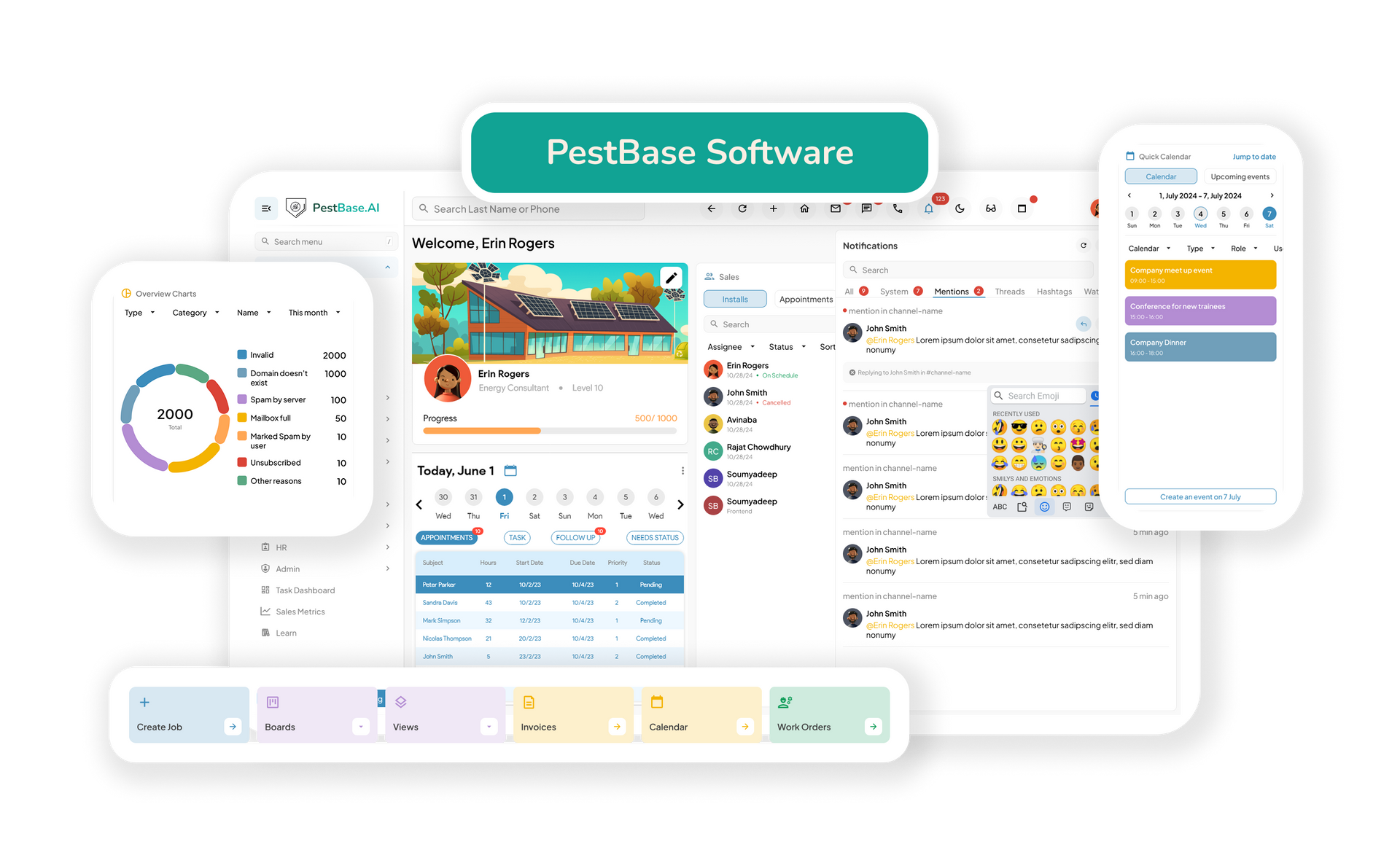
■ D2D Sales & Canvassing ■ Lead Capture & CRM ■ Proposal & Estimate Builder ■ Scheduling & Dispatch ■ Field Technician App ■ Invoicing & Payments
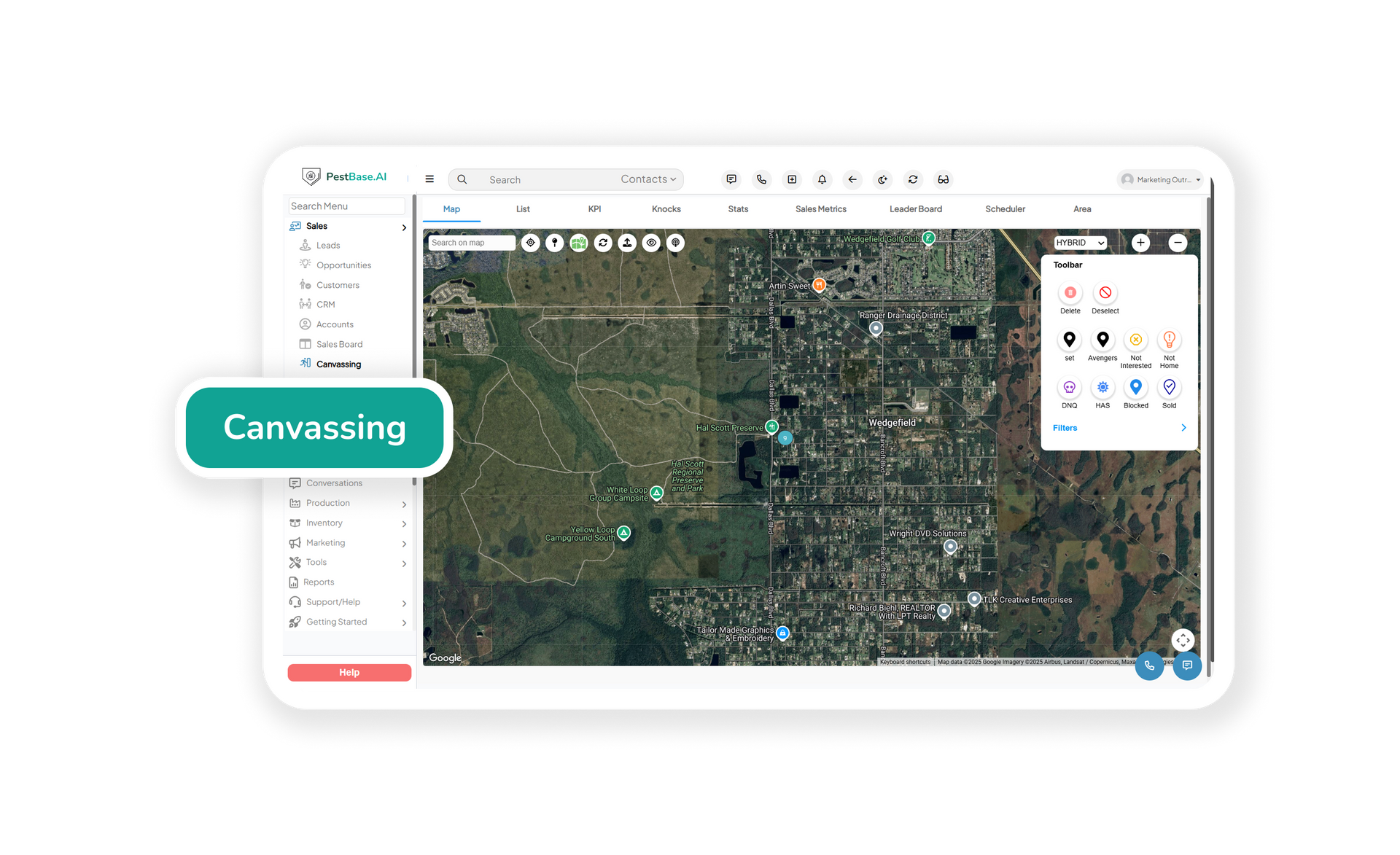
Turn door-to-door prospecting into a structured sales process, so the neighborhood your reps worked last week is recorded rather than remembered.
- Capture prospect details on the doorstep through the mobile app, keeping every opportunity organized and accessible.
- Track leads, sales activity, and follow-ups to reduce missed opportunities and keep the pipeline moving.
- Give managers live visibility into canvassing activity, so they can measure team performance by coverage and conversion rather than self-reported door counts.
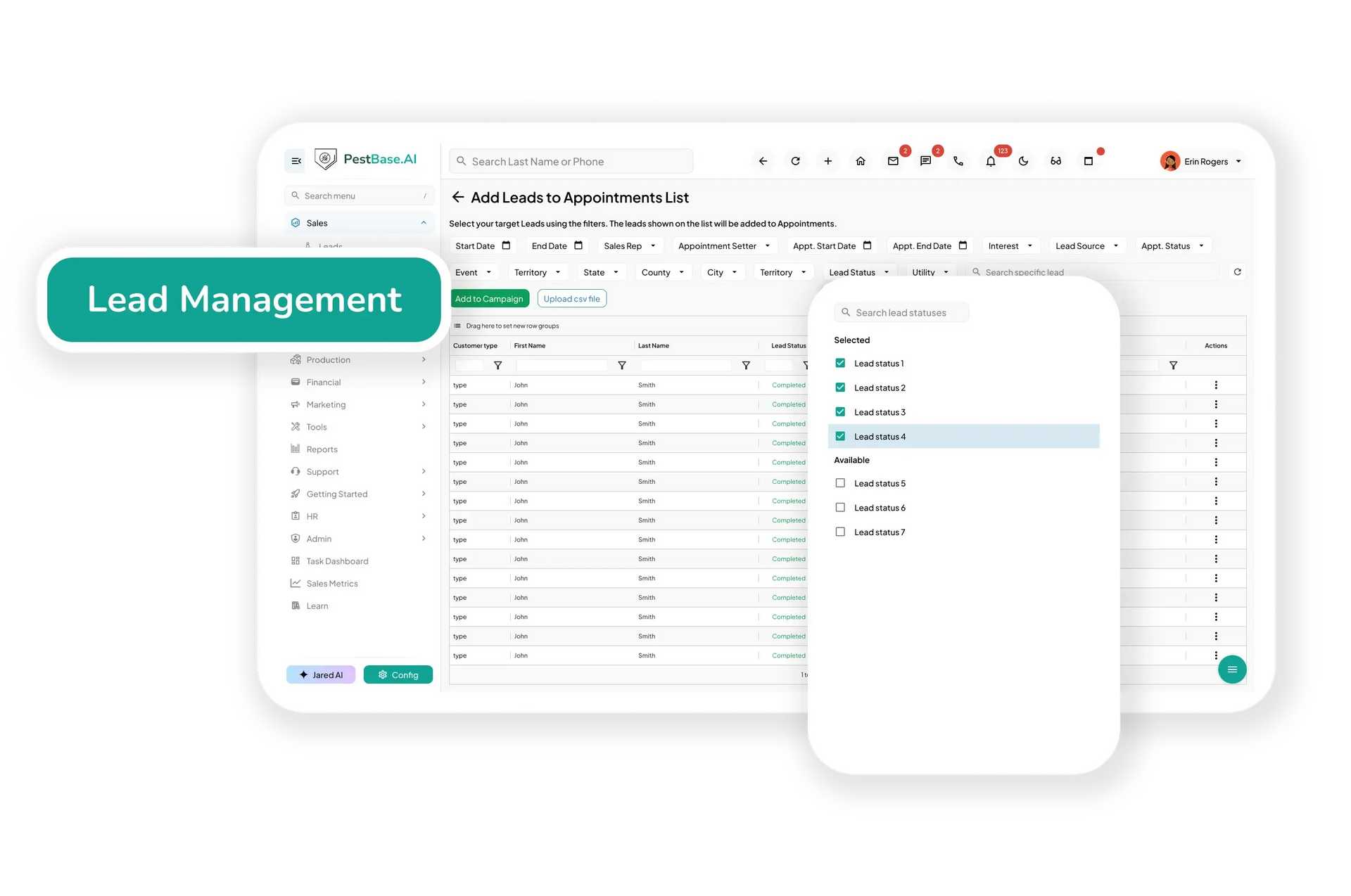
Capture and follow up on leads from every channel, so an enquiry that came in by phone is handled the same way as one captured at a door.
- Bring leads from web forms, calls, referrals, and canvassing into one CRM, giving your team a single place to manage every opportunity.
- Track sales activity and follow-ups so teams stay aligned, prioritize high-potential accounts, and improve close rates.
- Keep complete customer history — contacts, estimates, communications, service records, and account details — in one record instead of split across tools.
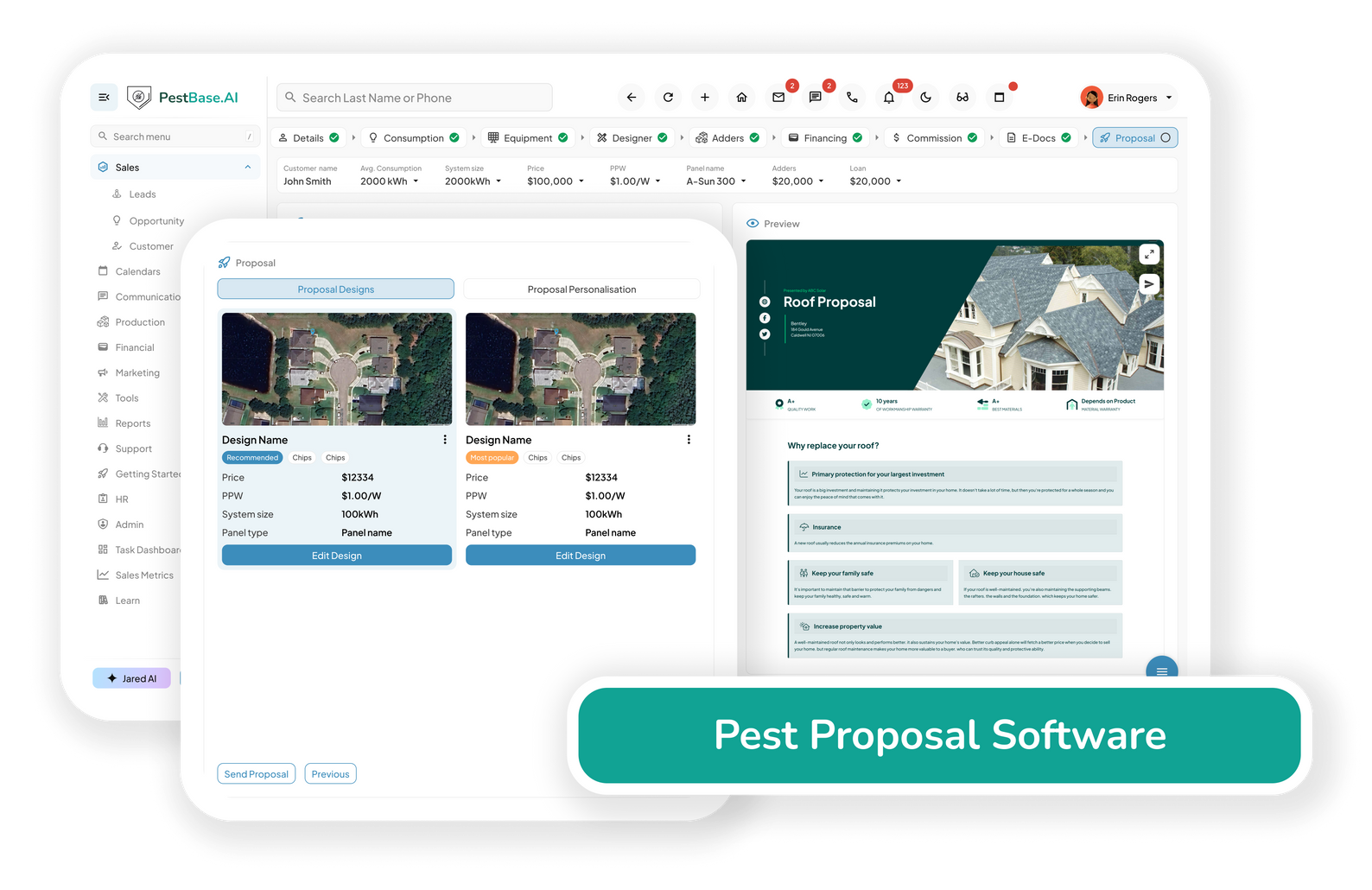
Build accurate estimates faster and turn recommended treatments into approved service agreements without retyping anything.
- Build estimates from current pricing to protect margins and avoid losing work to overpricing or leaving money on the table by underpricing.
- Turn an approved proposal into a scheduled job by carrying customer and service details straight into the next stage of the workflow.
- Assign the right technician based on service requirements, certifications, and availability, which supports consistent service delivery from the first visit.

Optimize routes and technician schedules to increase productivity, reduce travel time, and stay ready for peak-season demand.
- Automate scheduling around technician availability, workload, location, and certifications, so the right technician takes the right service and workloads stay balanced.
- Increase route density by grouping stops in the same service area, helping technicians complete more visits per day while cutting windshield time and fuel use.
- Adjust quickly when conditions change, with live visibility into routes, traffic, and weather — which matters when an outdoor treatment gets rained off, or an emergency call comes in.
Connect technicians and the office in real time, and keep service records accurate even in the basements, crawlspaces, and rural stops where there's no signal.
- Remove delays caused by missing job information with instant access to customer details, service history, appointment instructions, and treatment requirements on a phone or tablet.
- Keep records accurate by capturing treatments, findings, materials, photos, and pesticide-use records after each visit—including product, EPA registration number, and target pest.
- Close the gap between field and office with real-time job updates and service verification, so the office isn't waiting on paperwork to know what happened.
- Handle initial, follow-up, and re-service visits efficiently by giving technicians the relevant service history before they arrive.

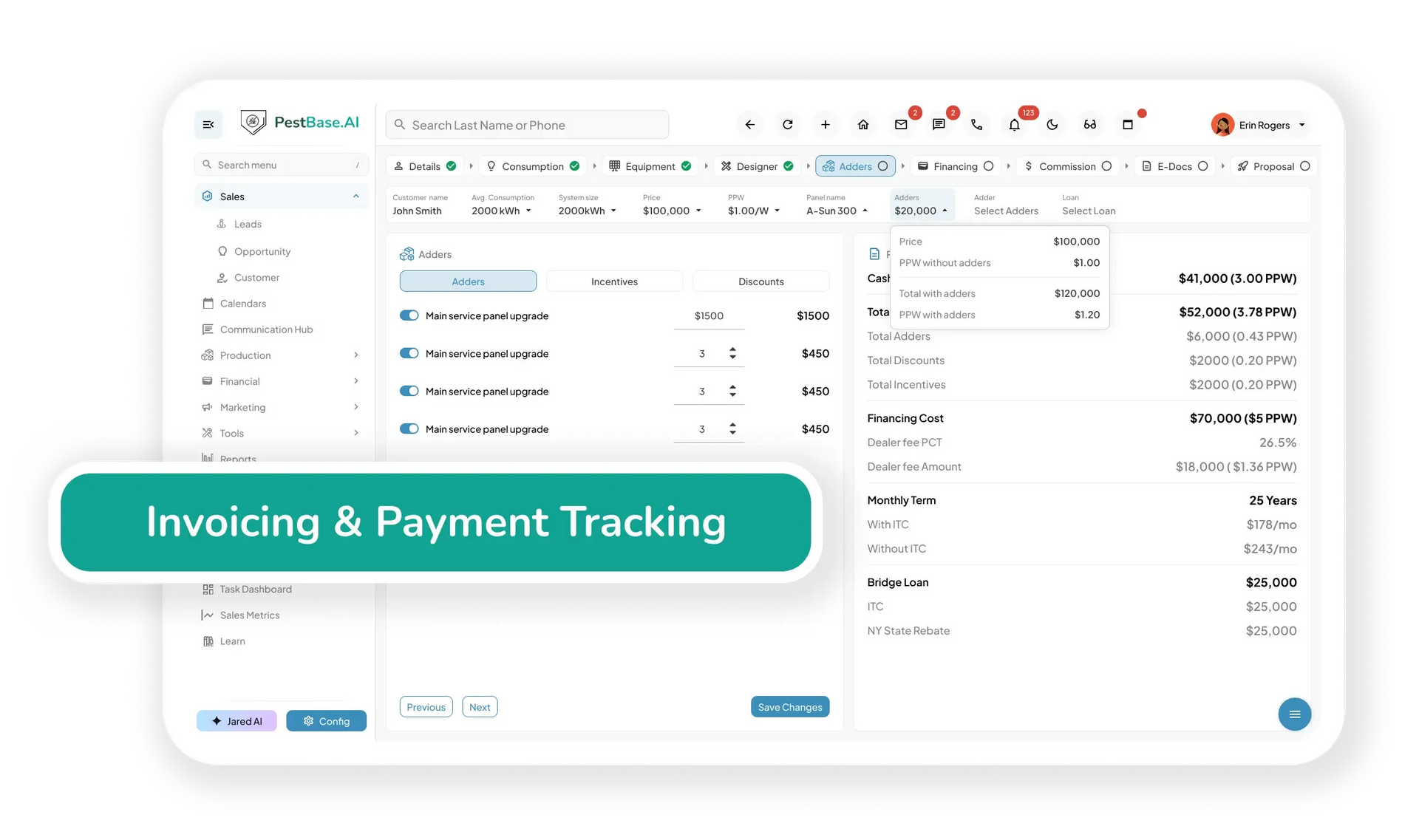
Prevent revenue loss from billing errors, speed up collections and renewals, and keep financial records organized for review.
- Generate digital invoices from completed service information and accept payment by ACH, credit card, debit card, or online portal.
- Keep customer, service, and billing information connected to reduce manual entry and maintain organized financial records for reporting.
- Track outstanding balances and automate reminders to reduce missed collections.
- Automate renewal reminders for recurring plans and termite bonds to protect recurring revenue and make cash flow more predictable.
Also included
The workflows that keep the six above running
Every pest control business needs these. Most software treats them as after thoughts.
Compliance & documentation
Attach Safety Data Sheets and product labels, log pesticide use per visit, record re-entry intervals, and keep documentation organized for audits and state reporting.
Inventory & materials
Track products, equipment, and PPE across trucks and warehouses, set low-stock alerts, and tie material usage back to the service that consumed it.
HR & technician records
Keep employee records, onboarding, shift schedules, and applicator licenses in one place — with certification and CEU expiry visible before it becomes a dispatch problem.
Customer communication
Automated appointment reminders, technician ETAs, two-way texting, and internal job notes, so customers and crews stay informed without anyone having to chase.
Reviews & referrals
Trigger review requests and referral offers after completed services, and track which sources actually produce customers rather than clicks.
Reporting & finances
Monitor production per technician, route performance, recurring revenue, and attrition, so you know whether route economics are working before the year closes.
FAQs Frequently asked questions
1. What Is Exterminator Management Software?
Exterminator management software is a type of pest control management software designed to help exterminators and pest control companies manage daily operations of a pest control business. PestBase is a comprehensive pest control management platform that supports multiple stages of running a pest control business, including sales and canvassing, lead management, CRM, estimates and proposals, scheduling and dispatch, invoicing and payments, technician management, compliance tracking, and recordkeeping in one centralized system. It has an intuitive mobile app that helps field technicians access job information, update service records, and manage tasks from the field.
By bringing these workflows into one platform, PestBase helps pest control companies reduce manual data entry, eliminate fragmented processes, improve operational efficiency, and increase technician productivity.
2. Do all PestBase plans include the same features?
No. Pest control businesses have different operational needs, so PestBase offers plans that can be tailored to team size, services, locations, and workflow requirements.
A smaller pest control company may only need essential tools such as scheduling, technician management, customer management, invoicing, and the technician mobile app. As the business grows, it may need more advanced capabilities such as route optimization, lead management, sales and canvassing, proposals and estimates, pesticide compliance, inventory management, reporting, and multi-location management.
PestBase helps businesses choose the capabilities that fit their current operations without requiring them to adopt features they do not need. As your company grows, you can expand your PestBase setup to support additional team members and operational needs.
3. How Does Pest Control Scheduling and Routing Work in PestBase?
PestBase helps pest control companies schedule and route technicians based on availability, workload, location, service type, and required licenses or certifications.
The system helps dispatchers assign the right technician to the right job while considering proximity to the customer's location. This can help reduce windshield time, improve route density, increase stops per day, and balance technician workloads.
PestBase also supports real-time schedule adjustments. When an emergency service request, cancellation, rescheduled appointment, or same-day job comes in, dispatchers can quickly adjust technician assignments and routes without rebuilding the entire day's schedule.
By bringing technician availability, service requirements, geographic location, workload, and route planning together, PestBase helps pest control companies build more efficient schedules, respond faster to customers, and keep field teams productive.
4. Can PestBase Handle Recurring Pest Control Service Plans and Renewals?
Yes. PestBase supports recurring pest control service plans with weekly, biweekly, monthly, quarterly, annual, or custom service intervals. This makes it easier for pest control companies to manage ongoing services such as general pest control, mosquito control, rodent control, termite monitoring, and other recurring treatment programs.
PestBase can help teams track upcoming services, schedule recurring visits, and send reminders for service renewals. Keeping recurring service agreements organized helps pest control businesses reduce missed appointments and maintain more predictable recurring revenue.
5. How Does PestBase Handle Pesticide Use Records, SDS, and State Reporting?
PestBase helps pest control companies maintain organized pesticide-use records and compliance documentation as part of the technicians' workflow. Technicians can record information such as the pesticide product used, EPA registration number, target pest, treatment area, application details, and service date using structured digital forms.
Safety Data Sheets (SDS) and pesticide labels can be associated with relevant products or jobs so technicians and office staff can access important documentation when needed. PestBase can also track applicable technician or applicator license and certification expiration dates, helping teams identify upcoming renewals before they affect scheduling or dispatch.
Pesticide recordkeeping and reporting requirements vary by state; pest control businesses remain responsible for meeting the requirements that apply to their operations. PestBase helps keep the underlying records organized, complete, and readily retrievable.
6. Does PestBase Include Sales Tools, or Do I Need a Separate CRM?
You do not need a separate CRM for core pest control sales and customer management. PestBase includes built-in CRM and sales tools designed specifically for pest control businesses.
Teams can manage leads, referrals, canvassing activities, customer records, sales opportunities, and communication history from one centralized platform, keeping the sales and service information connected in one system.
Automated reminders and follow-ups can help teams respond to new leads, stay engaged with prospects, and follow up on recurring service agreements and renewals. This helps pest control companies reduce manual follow-up and create a more consistent sales process.
7. How Do Invoicing and Payments Work in PestBase?
PestBase connects service, customer, invoicing, and payment information in one centralized system. Teams can generate digital invoices based on completed service information and accept online payments through supported payment methods, including ACH and credit or debit cards.
The platform helps teams track outstanding balances, manage payment status, and send payment reminders. PestBase also integrates with QuickBooks, helping pest control businesses keep financial and customer information connected while reducing duplicate data entry between systems.
8. How Long Does PestBase Onboarding Take, and What Support Do I Get?
PestBase is designed to make onboarding straightforward, with an intuitive interface that helps teams get started quickly. Many businesses can complete the initial onboarding process within two business days, depending on their team size, data migration needs, workflow configuration, and setup requirements.
PestBase also provides dedicated onboarding and customer support to help your team with setup, data migration, workflow configuration, and product questions. After implementation, your team can continue to access support for questions related to using the platform and managing pest control workflows.
9. Is PestBase Exterminator Management Software for Small Operators or Only Large Companies?
PestBase is built for pest control businesses of different sizes, from smaller operators to growing companies managing multiple technicians, locations, and service types.
Small pest control businesses can use PestBase to manage essential operations such as CRM, scheduling, dispatch, invoicing, technician management, and recurring services, while growing companies can take advantage of more advanced capabilities for routing, sales, compliance, inventory, reporting, and multi-location operations.
Because PestBase is designed around pest-specific workflows, businesses can use one platform as they grow rather than having to replace their software as their operational needs become more complex.
10. Can I Track Chemical and Product Inventory by Truck and Warehouse?
Yes. PestBase helps pest control companies manage chemical, product, equipment, and PPE inventory across trucks, warehouses, and other storage locations.
Teams can monitor inventory levels, receive low-stock alerts, and track material usage associated with service jobs. This gives managers better visibility into which products are available at each location or truck and helps reduce stockouts, unnecessary purchases, and manual inventory tracking.
For pesticide products, businesses can also maintain relevant product information and documentation to support their operational and recordkeeping requirements.
11. Can Customers Get Text Updates, Technician ETAs, and Review Requests Automatically?
Yes. PestBase helps pest control companies automate customer communication throughout the service lifecycle. Customers can receive appointment reminders, service notifications, renewal reminders, and other updates through supported communication channels.
PestBase also supports two-way text communication, allowing teams to communicate with customers without relying entirely on phone calls. Depending on the configured workflow, customers can receive technician arrival updates or ETA information.
After service or payment, businesses can also use automated workflows to request customer reviews, referrals, and follow-up actions. Payment information and links can also be shared through supported SMS or email communications.
One record, start to finish
Sell, service, and scale with PestBase
Your sales pipeline and your service operations run on the same customer record — so nothing gets re-entered, and nothing gets lost between them.
Or call 1-888-678-6227